
Itineraries & stops
Build the day in order, organise timings and keep your route and stop information close at hand.
MADE FOR PROFESSIONAL TOUR GUIDES
Your tours, guests, itineraries and reports, beautifully organised in one practical workspace. Prepare at your desk. Stay ready on the road.
Web + Android · Offline field access · R450 once-off for South Africa
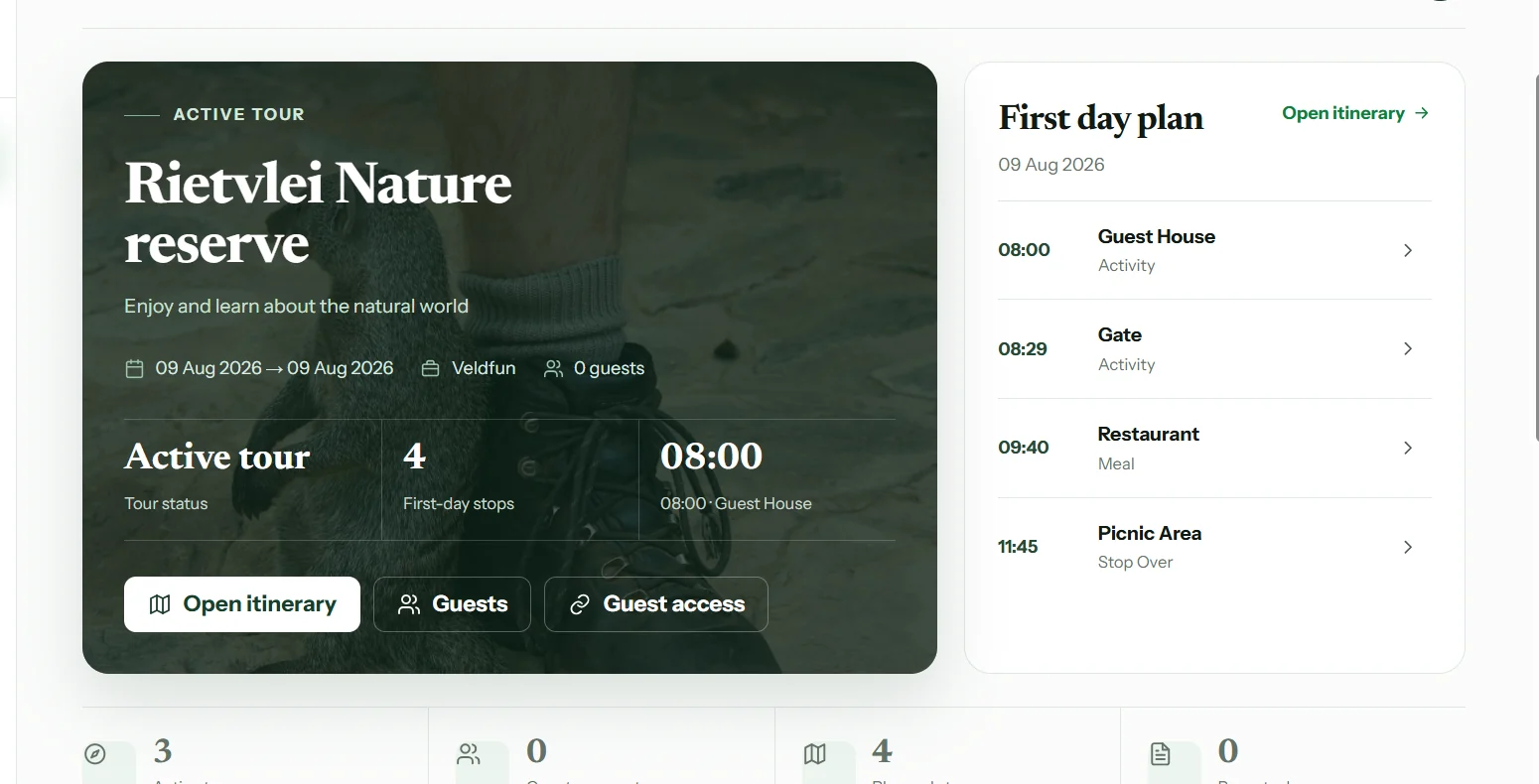
Every tour in one place.Keep the details together.
From desktop to field.Web and Android access.
Keep working offline.Sync saved information when connected.
WHAT THE APP DOES
No jumping between scattered notes, spreadsheets and messages. Tourist Guide SA brings the important parts of a tour into a single, guide-focused workspace.
A CLEARER WAY TO RUN YOUR TOUREXPLORE THE WORKSPACE
Explore the real app screens.
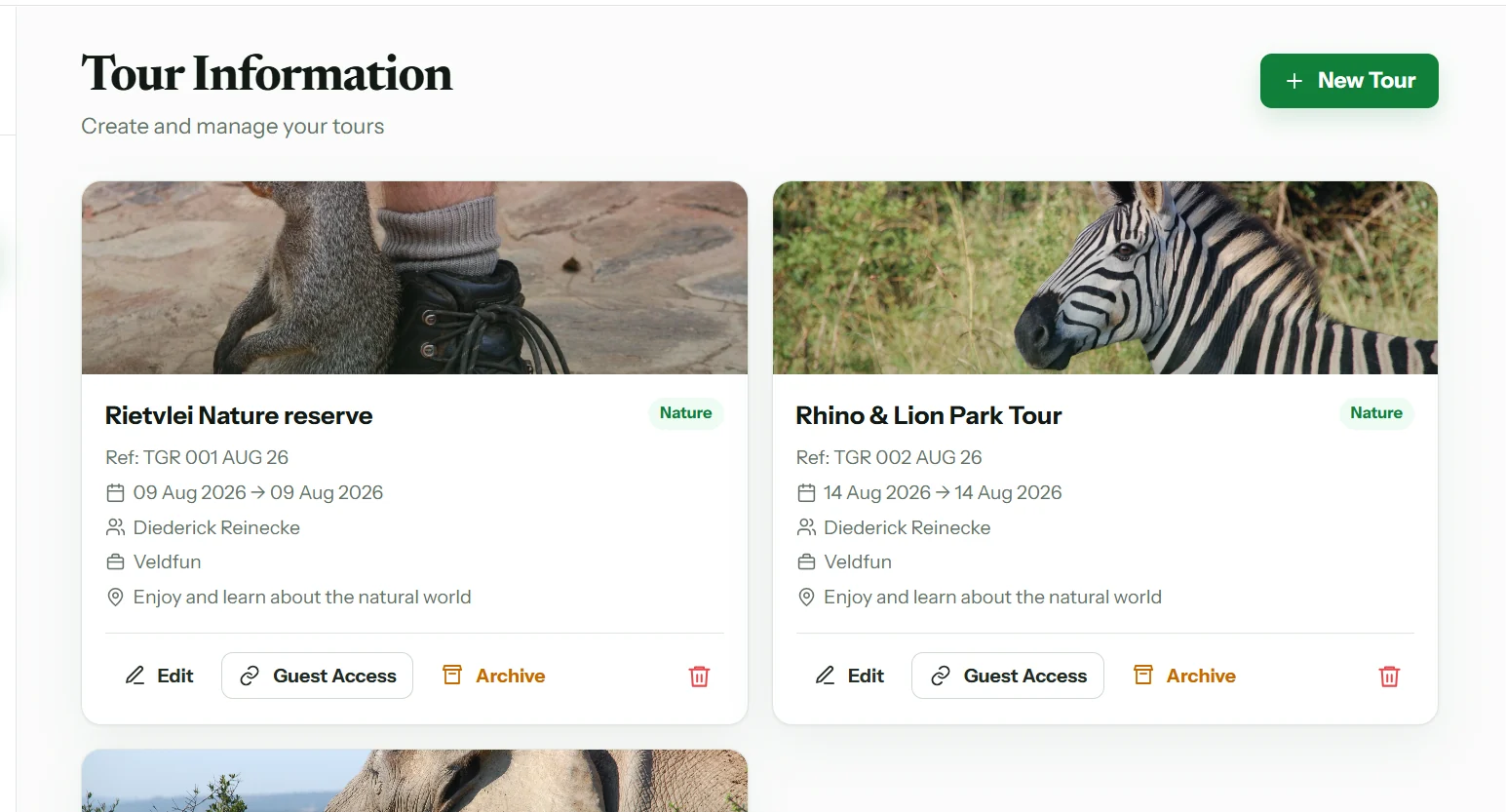
Create a tour, organise its details and keep all your planned stops in one place before the first guest arrives.
MORE THAN A TOUR PLANNER
Build the day in order, organise timings and keep your route and stop information close at hand.
Keep guest information together, add travellers individually and work with rooming lists.
Find places during planning and open directions with Google Maps when it is time to move.
Prepare your interpretation with flashcards, reference information and your own notes.
Complete daily, incident and end-of-tour reports, then share selected documents or information.
Keep completed tours for reference and reuse helpful details when a familiar journey comes around again.
YOUR WORKFLOW
Tourist Guide SA follows the rhythm of real guiding—not a complicated set of disconnected tools.
Set up your tour, arrange stops, gather guest details and prepare the information you need.
Access the tour on Android, refer to your itinerary and use saved information when coverage is limited.
Document the day, communicate with your operator and archive the tour for future reference.
DESK TO DESTINATION
Do the detailed planning on the web, then take the information with you on Android. Saved tour information remains available when connectivity is limited and synchronises when you are back online.

SIMPLE PRICING
Try the workspace for seven days. When you are ready to keep using it, one payment gives you permanent guide access.
Permanent access to your guide workspace on the web and Android.
PayFast · Secure hosted payment. Sign in with your approved guide account to purchase. Card details are entered on PayFast, not on this website.
NAMIBIA PILOT
The Namibia workspace is available for pilot guides. Choose Namibia above and sign in with the Namibia workspace to start your seven-day trial.
Plan tours, manage guests and keep essential information ready for the field.
The South African R450 PayFast checkout is not available for Namibia.
No. The R450 licence is a once-off payment for permanent guide access. There is no monthly subscription charge.
Yes. New guides can start with a seven-day trial to explore the workspace before purchasing a licence.
Yes. Sign in with your guide account on the website and Android app. Your tour information syncs when connected.
Information saved for offline use remains accessible in the Android app when connectivity is limited. Changes synchronise when a connection becomes available.
Create a guide account or sign in, select the once-off licence, and complete the secure PayFast checkout. The app will confirm access after successful payment verification.
Not yet. Namibia is currently in its pilot stage. You can select Namibia and start your seven-day trial in the Namibia workspace.
Choose South Africa or Namibia in the country selector at the top of this page. Your sign-in and trial buttons will open the corresponding workspace. Botswana is coming soon.
READY FOR THE NEXT TOUR?
Start your seven-day trial and see how it fits the way you guide.
Get started for free